Why You Might Need to Convert WebP to JPG
WebP is an excellent modern format for the web — smaller files, great quality. But it has compatibility gaps that make JPG the safer choice in certain situations:
- Email clients — Gmail and Outlook do not display WebP images inline. Recipients see a broken image or an attachment they can't open.
- WhatsApp — WebP is not supported as a photo attachment. It appears as a document.
- Microsoft Office — Word, PowerPoint, and Excel do not embed WebP images by default. You need JPG or PNG.
- Photo printing services — Most online print labs (Snapfish, Shutterfly, etc.) don't accept WebP uploads.
- Government / job portals — Almost all accept JPG only.
- Design tools — Older versions of Photoshop and many other desktop apps can't open WebP natively.
How to Convert WebP to JPG (Online, Free)
- Go to WebP to JPG Converter
- Click "Upload" or drag and drop your WebP file
- Download your JPG — ready in about 2 seconds
No account. No watermark on output. File deleted immediately after conversion.
What Happens to Image Quality?
WebP to JPG conversion involves decompressing the WebP and re-encoding as JPEG. At quality 85 (our default), the output is visually identical to the WebP original for the vast majority of images.
The one case where quality matters: if your WebP file uses lossless encoding (common for screenshots and graphics), converting to JPEG introduces minor compression artefacts. For those files, PNG is a better conversion target — use our WebP to PNG converter instead.
WebP to JPG vs WebP to PNG — Which Should You Use?
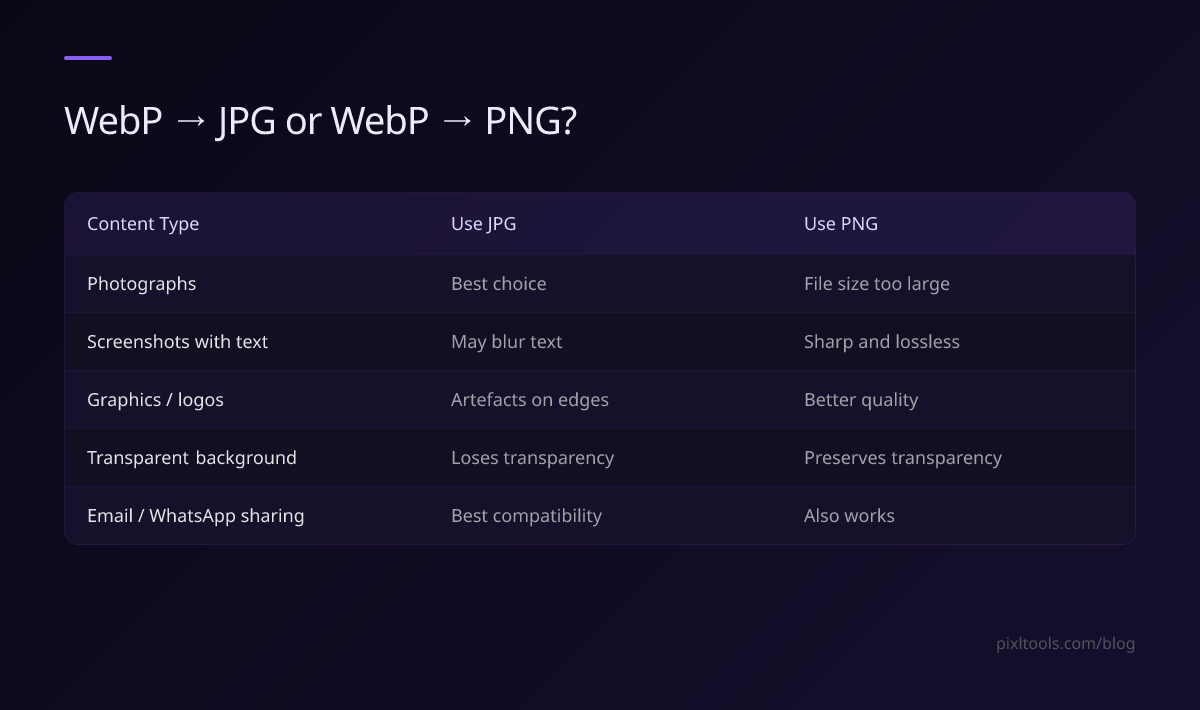
| Content Type | Use JPG | Use PNG |
|---|---|---|
| Photographs | ✅ Best choice | File size too large |
| Screenshots with text | ⚠️ May blur text | ✅ Sharp and lossless |
| Graphics / logos | ⚠️ Artefacts on edges | ✅ Better quality |
| Transparent background | ❌ Loses transparency | ✅ Preserves transparency |
| Email or WhatsApp sharing | ✅ Best compatibility | ✅ Also works |
How to Batch Convert WebP to JPG
Our tool processes one file at a time. For converting many WebP files at once:
On Windows — Use iLoveIMG batch converter (free, up to 30 files)
On Mac — Select WebP files in Finder → right-click → Quick Actions → Convert Image → select JPG
Command line (any OS) — Install ImageMagick, then:
mogrify -format jpg *.webp
FAQ
Does converting WebP to JPG reduce quality?
At quality 85 (our default), the difference is imperceptible for photos. For screenshots with text, there may be slight blurring — use WebP to PNG for those.
Can I convert WebP to JPG on iPhone?
Yes — our converter works in Safari on iPhone. Upload the WebP file, download the JPG directly to your Photos.
My WebP file has a transparent background — what happens?
Transparency is not supported in JPEG. Transparent areas will be filled with white by default. If you need to keep transparency, convert to PNG instead.
Why is my converted JPG larger than the WebP?
JPEG uses different compression than WebP. It's normal for a quality-85 JPG to be 20–40% larger than the equivalent WebP. This is a trade-off for broader compatibility.
How do I open a WebP file on Windows?
Modern Edge and Chrome can open WebP files by dragging them into the browser. To open in Photos, you need the WebP codec or simply convert to JPG first.