The New Generation of Web Image Formats
JPEG and PNG have dominated the web for decades, but two modern formats — AVIF and WebP — deliver dramatically better compression with equal or superior quality. If you're building a website in 2026, you should be using one of them.
What is WebP?
WebP was developed by Google and released in 2010. It offers both lossy and lossless compression, supports transparency, and averages 25–35% smaller file sizes than JPEG at equivalent quality.
Browser support (2026): Chrome, Firefox, Safari 14+, Edge, Opera — 95%+ of all web users.
What is AVIF?
AVIF (AV1 Image File Format) is a newer format derived from the AV1 video codec, developed by the Alliance for Open Media. It offers even better compression than WebP — typically 50% smaller than JPEG and 20% smaller than WebP at equivalent quality.
Browser support (2026): Chrome 85+, Firefox 93+, Safari 16+, Edge 121+ — approximately 90% of users.
Head-to-Head Comparison
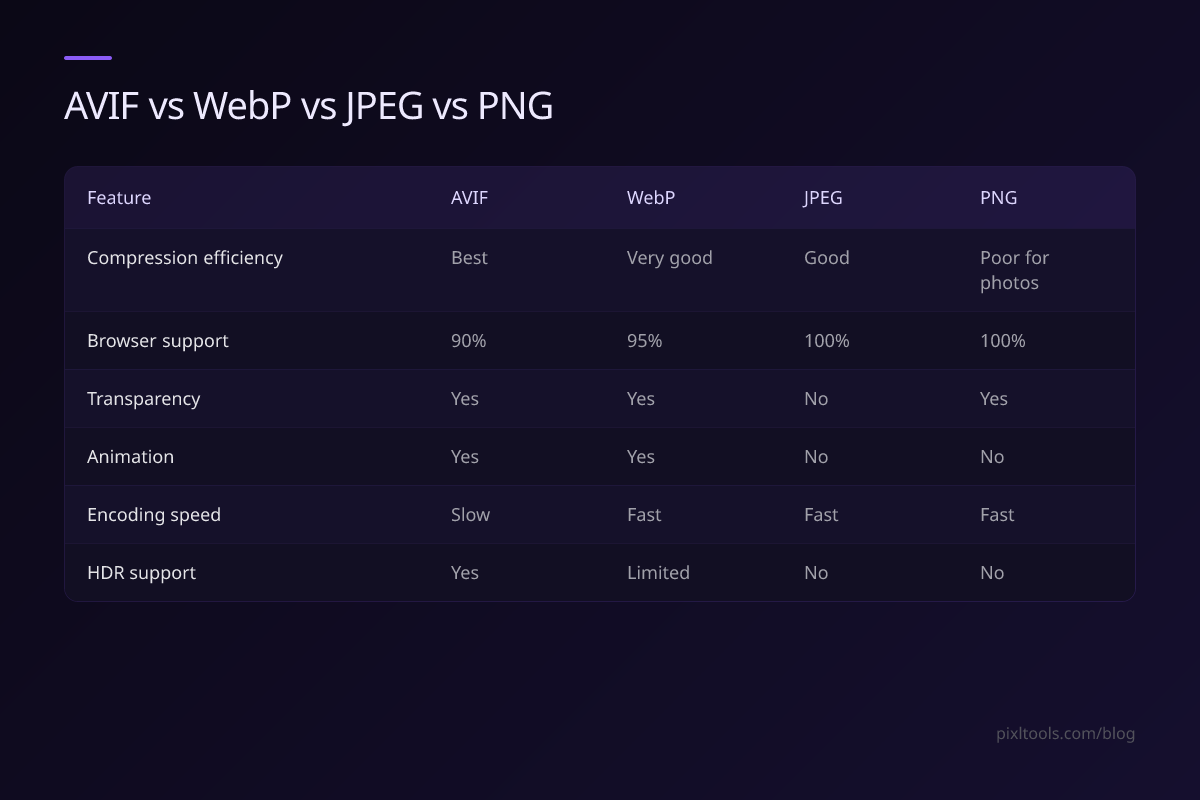
| Feature | AVIF | WebP | JPEG | PNG |
|---|---|---|---|---|
| Compression efficiency | 🥇 Best | 🥈 Very good | 🥉 Good | Poor for photos |
| Browser support | 90% | 95% | 100% | 100% |
| Transparency | Yes | Yes | No | Yes |
| Animation | Yes | Yes | No | No |
| Encoding speed | Slow | Fast | Fast | Fast |
| HDR support | Yes | Limited | No | No |
Real-World File Size Comparison
Test image: 1200×800 professional photograph
| Format | File Size | vs JPEG |
|---|---|---|
| JPEG (quality 85) | 412 KB | baseline |
| WebP (quality 85) | 274 KB | -33% |
| AVIF (quality 85) | 198 KB | -52% |
Which Should You Use?
Use WebP when:
- You need broad compatibility (targeting all modern browsers)
- You need fast server-side encoding
- You're converting existing JPEG/PNG images in bulk
- You use Next.js (automatically serves WebP via the Image component)
Use AVIF when:
- Maximum compression is the priority (e.g., image-heavy e-commerce)
- You're targeting Chrome/Firefox users primarily
- You can accept slower encoding times
Best practice for 2026:
Use AVIF with WebP fallback and JPEG/PNG as last resort:
<picture>
<source srcset="image.avif" type="image/avif">
<source srcset="image.webp" type="image/webp">
<img src="image.jpg" alt="Description">
</picture>
This serves AVIF to supported browsers and WebP/JPEG to others — giving everyone the best possible experience.
Converting Your Images
To convert your existing images to WebP, use our free converters:
FAQ
Is AVIF better than WebP?
Yes, in terms of compression efficiency. AVIF files are typically 20–30% smaller than WebP at the same visual quality. However, WebP has better browser support and faster encoding.
Should I use AVIF or WebP in Next.js?
Next.js 14+ supports both — it automatically serves AVIF first, then WebP, then the original format. Enable both in your next.config.js with `formats: ['image/avif', 'image/webp']`.
Does AVIF work on all browsers?
No — older browsers (including Safari < 16) don't support AVIF. Always provide a WebP or JPEG fallback.