Why Image Format Choice Matters
Choosing the wrong format can make an image 10x larger than it needs to be, or destroy quality that could have been preserved. This guide covers every major format in plain language.
JPEG / JPG
Created: 1992 | Best for: Photos, product images, backgrounds
JPEG uses lossy compression — permanently removing data to achieve smaller file sizes. At quality 80, photos are 60–80% smaller than quality 100 with barely visible loss.
✅ Universal browser and device support
✅ Small file sizes for photos
❌ No transparency
❌ Compression artifacts at low quality
❌ Not lossless — can't edit repeatedly without degradation
PNG
Created: 1996 | Best for: Logos, screenshots, UI graphics, images needing transparency
PNG uses lossless compression — no data is discarded. Every pixel is preserved exactly. Supports full alpha transparency.
✅ Lossless — perfect quality
✅ Full alpha transparency (8-bit)
✅ Great for sharp text and graphics
❌ Very large for photographs
❌ No animation support (use APNG for that)
WEBP
Created: 2010 by Google | Best for: All web images
WEBP supports both lossy and lossless compression, plus transparency and animation. Consistently outperforms JPEG and PNG.
✅ 25–35% smaller than JPEG at equivalent quality
✅ 25% smaller than PNG for lossless
✅ Supports transparency
✅ Supported by all modern browsers
❌ Not supported in some email clients
❌ Older browsers (IE, Safari <14) lack support
SVG
Created: 1999 | Best for: Icons, logos, illustrations
SVG is a vector format — described by mathematical paths rather than pixels. Scales to any size without quality loss.
✅ Infinite scalability (perfect at any size)
✅ Tiny file sizes for simple graphics
✅ Editable in code
❌ Not suitable for photographs
❌ Can be complex for detailed illustrations
AVIF
Created: 2019 | Best for: High-quality web images (bleeding edge)
AVIF is the newest format, based on the AV1 video codec. Outperforms WEBP by 20–50% in compression efficiency.
✅ Smallest file sizes of any format
✅ Supports HDR and wide colour gamut
❌ Slower encoding than WEBP
❌ Still gaining browser support (Chrome/Firefox/Safari 16+)
GIF
Created: 1987 | Best for: Simple animations only
GIF supports animation but is limited to 256 colours, making it terrible for photos. For modern animations, use WEBP or video (MP4).
Format Comparison Table
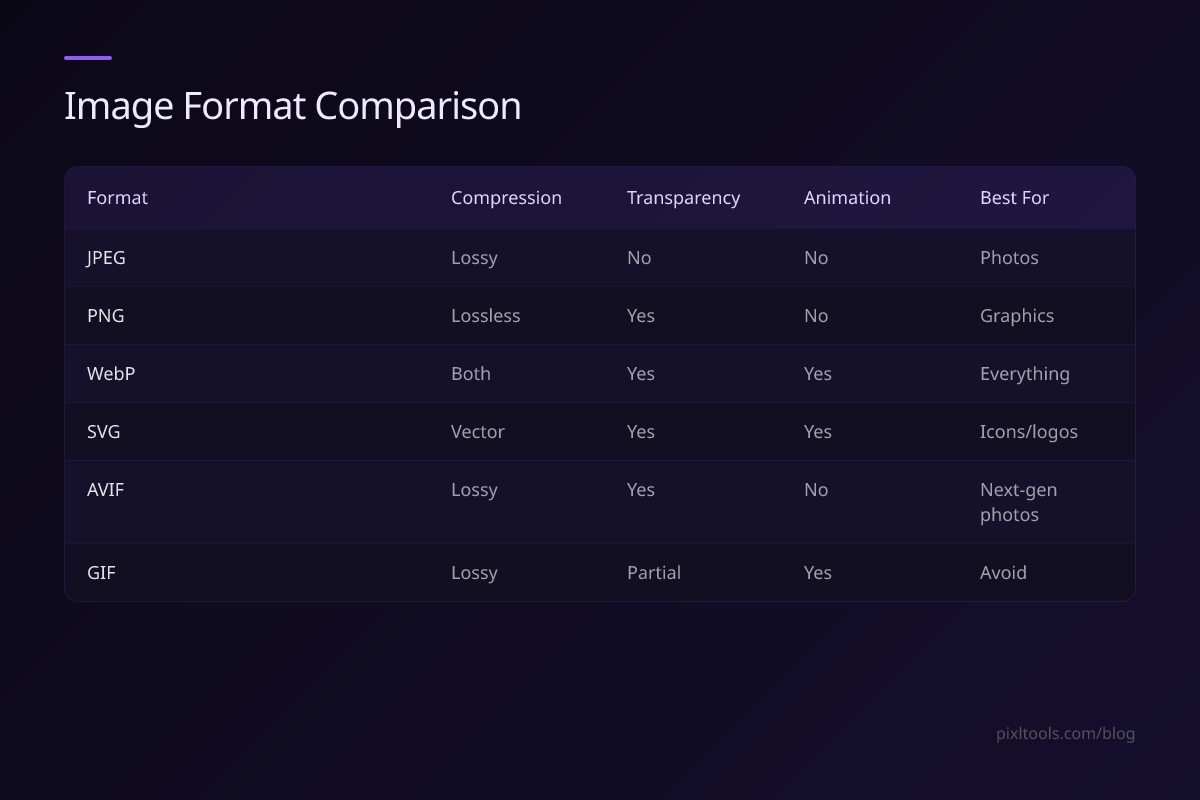
| Format | Compression | Transparency | Animation | Best For |
|---|---|---|---|---|
| JPEG | Lossy | ❌ | ❌ | Photos |
| PNG | Lossless | ✅ | ❌ | Graphics |
| WEBP | Both | ✅ | ✅ | Everything |
| SVG | Vector | ✅ | ✅ | Icons/logos |
| AVIF | Lossy | ✅ | ❌ | Next-gen photos |
| GIF | Lossy | Partial | ✅ | Avoid |
Our Recommendation
Default to WEBP for all web images. Convert your existing JPEGs and PNGs using our free converters:
- JPG to WEBP
- PNG to WEBP
- WEBP to JPG (for compatibility)