The Web Image Format Dilemma
Choosing the wrong image format is one of the most common performance mistakes on the web. A PNG photo can be 10x larger than the equivalent WEBP, with no visible quality difference. Here's a definitive guide.
JPEG (JPG) — The Universal Standard
JPEG has been the web standard since 1992. It uses lossy compression, meaning it permanently discards some image data to achieve smaller file sizes.
Strengths:
- Universal support — every device and browser
- Excellent for photographs and complex colour images
- Small file sizes at quality 75–85
Weaknesses:
- No transparency support
- Compression artifacts visible at low quality settings
- Not ideal for images with sharp edges, text, or flat colours
Best for: Photos, hero images, product shots, blog thumbnails
PNG — Lossless & Transparent
PNG uses lossless compression — every pixel is preserved exactly. It also supports full alpha channel transparency.
Strengths:
- Perfect quality — no compression artifacts
- Full transparency support (including alpha)
- Great for graphics with sharp edges
Weaknesses:
- Very large file sizes for photographs
- Slow to load for full-page hero images
Best for: Logos, icons, UI screenshots, images requiring transparency
WEBP — The Modern Standard
WEBP was developed by Google specifically for the web. It offers both lossy and lossless compression, supports transparency, and consistently outperforms JPEG and PNG.
Strengths:
- 25–35% smaller than JPEG at equivalent quality
- 25% smaller than PNG for lossless files
- Full transparency support
- Excellent for all image types
Weaknesses:
- Older browsers (IE, old Safari <14) don't support it
- Not universally supported in some email clients
Browser support in 2026: Chrome, Firefox, Safari 14+, Edge, Opera — covering 95%+ of users.
File Size Comparison (Real World)
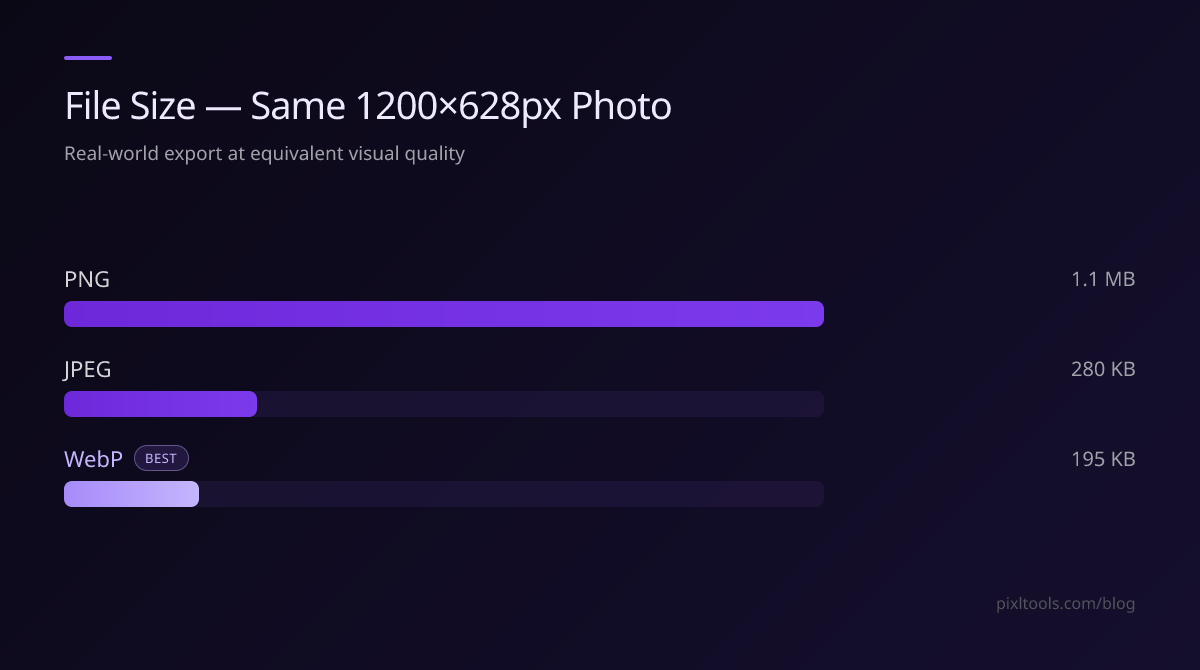
| Image Type | JPEG | PNG | WEBP |
|---|---|---|---|
| 1200×628 photo | 280 KB | 1.1 MB | 195 KB |
| 500×500 logo | 45 KB | 12 KB | 8 KB |
| 800×450 screenshot | 220 KB | 680 KB | 160 KB |
Our Recommendation
Use WEBP as your default. Convert all existing JPEG and PNG images to WEBP for immediate file size savings. Keep JPEG/PNG fallbacks only if you need to support very old browsers.
Use our free converters: JPG to WEBP | PNG to WEBP