Why 50KB?
50KB is a common file size limit on job application portals, government registration sites, and some email systems in South and Southeast Asia. A standard smartphone photo is 3,000–8,000× larger than this limit — so you need both to resize the pixel dimensions AND compress the JPEG quality.
The Two-Step Process
Getting below 50KB reliably requires two steps — skipping either one usually fails.
Step 1 — Resize the Image
A 4000×3000px photo compressed to quality 10 will still be large and look terrible. The right approach is to reduce the pixel dimensions to something reasonable first.
Target dimensions for common 50KB use cases:
| Use Case | Recommended Dimensions |
|---|---|
| Profile photo / avatar | 300×300px |
| Job application photo | 413×531px (passport style) |
| Signature image | 200×60px |
| Document scan preview | 800×600px |
- Go to Resize Image
- Upload your image
- Set width to your target (height auto-calculates with aspect ratio locked)
- Download the resized image
Step 2 — Compress the Resized Image
- Go to Compress Image
- Upload your resized image
- Download — at quality 80 and small dimensions, most photos land well under 50KB
Expected Output Sizes at Quality 80
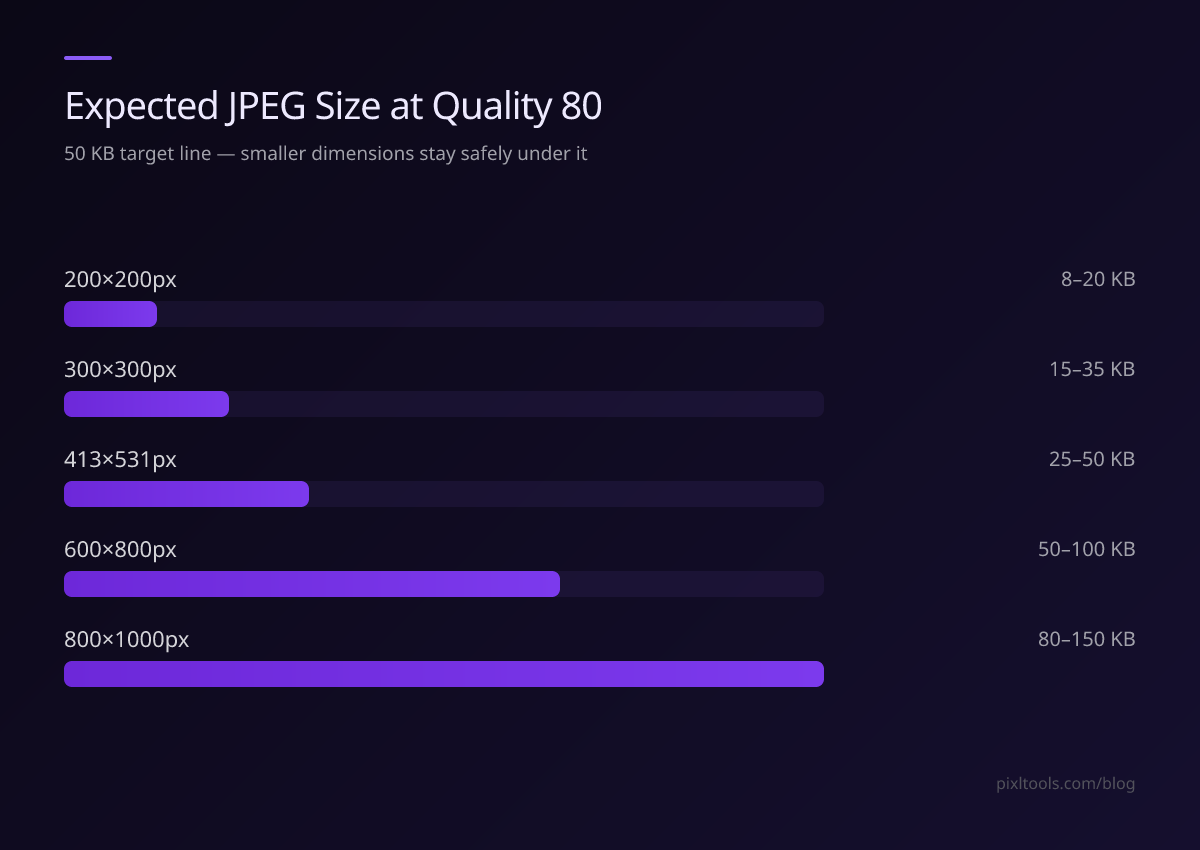
| Dimensions | Expected JPEG Size (photo) |
|---|---|
| 200×200px | 8–20KB ✅ |
| 300×300px | 15–35KB ✅ |
| 413×531px | 25–50KB ✅ |
| 600×800px | 50–100KB ⚠️ |
| 800×1000px | 80–150KB ❌ |
For photos with lots of detail (faces, textures), file sizes tend to be at the higher end of these ranges.
If the Result Is Still Above 50KB
Try these in order:
- Reduce dimensions further — go to 300×300px or smaller
- Lower quality slightly — quality 70 instead of 80 (difference is nearly invisible at small sizes)
- Convert to JPEG — if you uploaded a PNG, convert it to JPEG first using PNG to JPG. PNG at 413×531px can be 200–400KB; JPEG at the same size is 30–60KB
FAQ
What's the smallest I can compress a photo without it looking bad?
For small profile-size images (under 400×400px), quality 70–75 is the minimum before visible degradation. Below quality 60, you'll see obvious blocky JPEG artefacts.
Can I compress a PNG below 50KB?
For photos, convert to JPEG first — PNG lossless compression can't match JPEG for photographic content. For logos and graphics with few colours, PNG can go below 50KB at small dimensions.
I compressed to 48KB but the portal says it's too large — why?
Some portals measure in KiB (kibibytes) not KB (kilobytes). 1 KiB = 1.024 KB, so their "50KB" might mean 51.2 actual kilobytes. Compress to 45KB to be safe.