What is Image Upscaling?
Upscaling increases an image's resolution — its pixel count — making it physically larger. The challenge is that simply stretching pixels creates blurry, blocky results. Modern upscaling tools add detail intelligently to fill the extra pixels.
Traditional vs AI Upscaling
Traditional algorithms (bilinear, bicubic, Lanczos) work by mathematically interpolating between existing pixels. They're fast and produce smooth results but can appear soft or blurry, especially at large scale factors.
AI upscaling (Super-Resolution, ESRGAN, Real-ESRGAN) uses neural networks trained on millions of image pairs to predict realistic detail. Results look sharper and more natural — the AI effectively "guesses" what high-resolution details would look like.
When to Use Upscaling
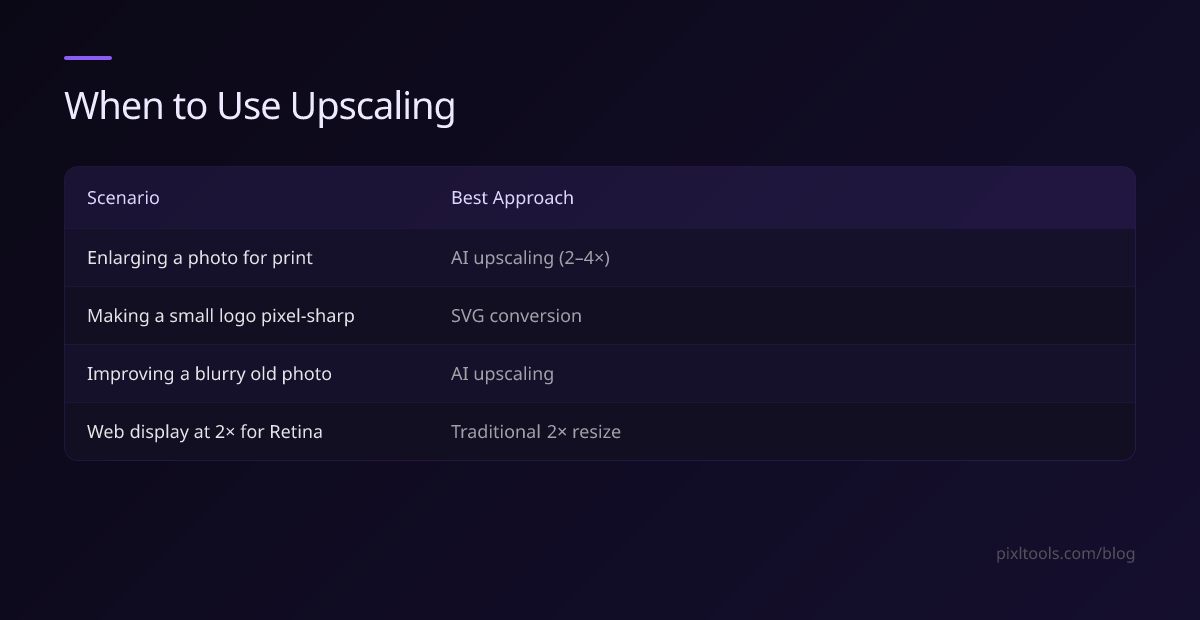
| Scenario | Best Approach |
|---|---|
| Enlarging a photo for print | AI upscaling (2-4x) |
| Making a small logo pixel-sharp | SVG conversion (better option) |
| Improving a blurry old photo | AI upscaling |
| Web display at 2x for Retina | Traditional 2x resize |
How to Upscale an Image Online Free
Use our Image Upscaler tool:
- Upload your image (JPG, PNG, or WEBP)
- Choose your upscale factor (2x, 3x, or 4x)
- Click Process and download your result
No software installation. Works in any browser.
How Much Can You Upscale?
Results degrade as scale factor increases. In practice:
- 2x: Excellent results on most images
- 3x: Good results on photos; some softening on detailed textures
- 4x: Noticeable on very detailed images; best on portraits and simple subjects
Upscaling Tips
- Start with the highest quality original you have
- Upscale in steps (2x then 2x again) rather than 4x in one pass for some algorithms
- Sharpen slightly after upscaling to restore crispness
- For print, target at least 300 DPI at the final print size